Pages


Saturday, November 23, 2013

Mr Bean Animated serious part 2

 
Download:-
Part 1
Part 2

Mr Bean Animated serious part 1


 Mr been Animated Series 1

Mr. Bean is an animated television series by Varga Studio based on the British live-action series of the same name. Characters from the original live action series included Mr. Bean, Irma Gobb, Teddy, and the mysterious driver of the Reliant Supervan, with the new addition of Mrs. Wicket, Bean's landlady, and her evil cat Scrapper


 Episodes 
  1. Mr Bean Animated Series - Artful Bean
  2. Mr Bean Animated Series - Bounty
  3. Mr Bean Animated Series - The Fly
  4. Mr Bean The Animated Series - Mime Games
  5. Mr. Bean Animated Series - Missing Teddy
  6. Mr. Bean Animated Series- No Parking
  7. Mr. Bean Animated Series- Spring Clean
Direct Download -  Click This ( 241MB)

Sinhala 4to Comments

Download All (2mb)

Amazing photoes


Tuesday, November 19, 2013

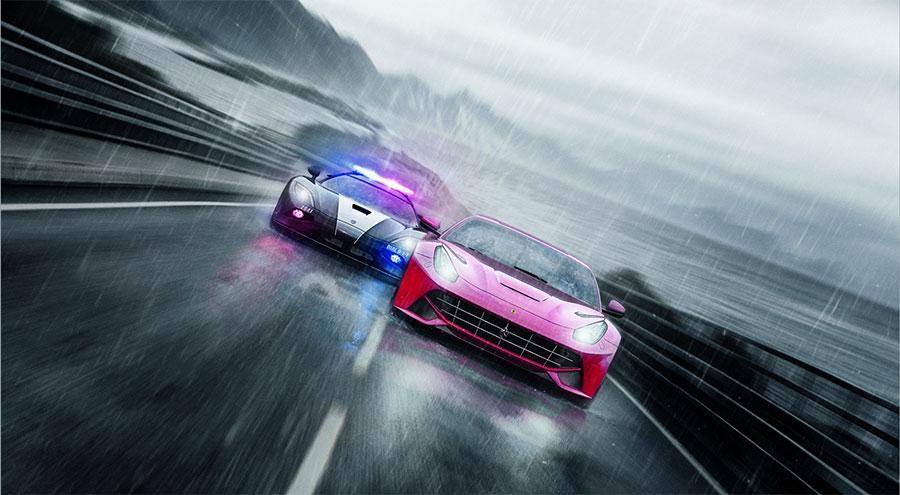
Need For Speed RIVALS + CRACK 3DM 7.37GB


MINIMUM System Requirements

OS: Windows XP, Windows Vista (SP2), Windows 7
CPU: Intel 2.4 GHz Core 2 Duo, AMD 2.6 GHz Athlon X2
RAM: At least 4 GB
DISC DRIVE: CD/DVD ROM drive required for installation only
HARD DRIVE: At least 30 GB of free space
VIDEO: AMD Radeon 3870 512Mb or better, NVIDIA GeForce 8800 GT 512 Mb or better, IntelHD 4000 integrated 512Mb or better
DIRECTX: DirectX 10.1 compatible
INPUT: Keyboard and mouse
ONLINE CONNECTION REQUIREMENTS: 512 Kbps or faster internet connection

RECOMMENDED System Requirements

OS: Windows XP, Windows Vista (SP2), Windows 7 (Recommended is Windows 8 64-bit)
CPU: Intel Quad Core CPU, AMD Duo Core CPU
RAM: At least 8 GB
DISC DRIVE: CD/DVD ROM drive required for installation only
HARD DRIVE: At least 30 GB of free space
VIDEO: AMD Radeon 7870 3Gb or bettxter, NVIDIA GeForce GT660 3Gb or better
DIRECTX: DirectX 11 compatible
INPUT: Keyboard and mouse
ONLINE CONNECTION REQUIREMENTS: 512 Kbps or faster internet connection
                                Download 
            Extra Crack - Click this

Sunday, November 3, 2013

A Free Online Photo Editor | PicMonkey

Pic Money


Go From Here.. Click this - : Pic Money

How to Play Android Games on PC

Step 1

Download Bluestacks and double-click on the set-up icon to start the installer. Make sure your computer is connected to the Internet when installing the emulator. The installer will download key components and then install the application on your PC.


Step 2

Once installed, you will be taken to the Bluestacks home screen. The display screen is well categorized into your favorite apps installed, game apps and utilities apps. To download and install a new game, click on the magnifying glass icon at the top-right corner of the screen.


Step 3

In the Search for Apps text box, type in the name of the Android game you want to download, install and run on PC. Alternatively, you can also click on the “Games” button to get a list of games chosen by the emulator. These are some of the most popular Android games available on the app store.


Step 4

After typing in the name of the game on the search box, a drop-down menu will show a list of possible matches. Click on the game and Bluestacks will perform a quick search. It will then display the game title, this time with the install button. Click on install and wait for the emulator to search for the title via various app stores, including Google Play.


Step 5

The game will automatically get downloaded and installed. Many times, Bluestacks will show only the app stores (Amazon and Google Play) with the game enlisted on the store. You will need to click on the game once again to download it to your PC.
To play the installed game, click on My Apps and double-click on it. (Warning: Some games may crash while loading. Remember that Bluestacks is still in Beta-1 phase and it will take time to launch the complete bug-free version.)
 

Sample Text

Flag Counter
 
Don't Forget To Join US Our Community
×
bloggerWidget